Pop Warner Stat Tracking From a Phone: A Volunteer Guide
Pop Warner stat tracking without a clipboard: how to set up a parent stat crew, chart from a phone, and turn youth game data into coaching decisions.
By Hashmarks4 min readYouth football
Youth football staffs run on volunteers. The head coach calls plays, an assistant wrangles the sideline, and stats fall to whichever parent said yes. Pop Warner stat tracking works when it's easy enough for that parent to do from the stands, and useful enough that the coach looks at it on Sunday.
This guide is for youth, Pop Warner and middle school programs: how to set up a stat crew, what to chart, and how to chart it from a phone with Hashmarks. (Hashmarks isn't affiliated with Pop Warner; this works for any youth league.)
Why youth stats are worth the trouble
At the youth level, stats aren't about recruiting film. They answer practical questions:
- Which plays actually work for this group of kids, this year?
- Who is getting the ball? Are carries and targets spread the way you intended?
- What does the other team do on 3rd down? Especially in a rematch or a playoff game.
- Are we getting better? Week to week, not just by the scoreboard.
A paper chart can answer some of that if somebody types it up. Most seasons, nobody does.
Build a stat crew out of parents
You don't need a statistician. You need one or two reliable parents and a clear job for each.
- One person, one job. If you have two volunteers, one logs the play (formation, run or pass, who had the ball) and the other watches the result and the yards.
- Same seat every week. High in the stands near midfield sees the ball spot best.
- Start lean. Formation, play type and gain or loss are enough to build tendencies. Add personnel and motion later, or never.
Two ways to give volunteers access
- A collector link for one game. A coach creates the link from the game page and texts it. It opens a charting page on the parent's phone, no account or app needed. It expires after 48 hours by default and you can revoke it any time.
- A stat collector on your team account. For a regular volunteer, invite them as a Collector. They can log plays for your games and edit their own entries, and they can take the Chalk Talk quizzes too.
What to chart on game day
Keep it to what you'll use:
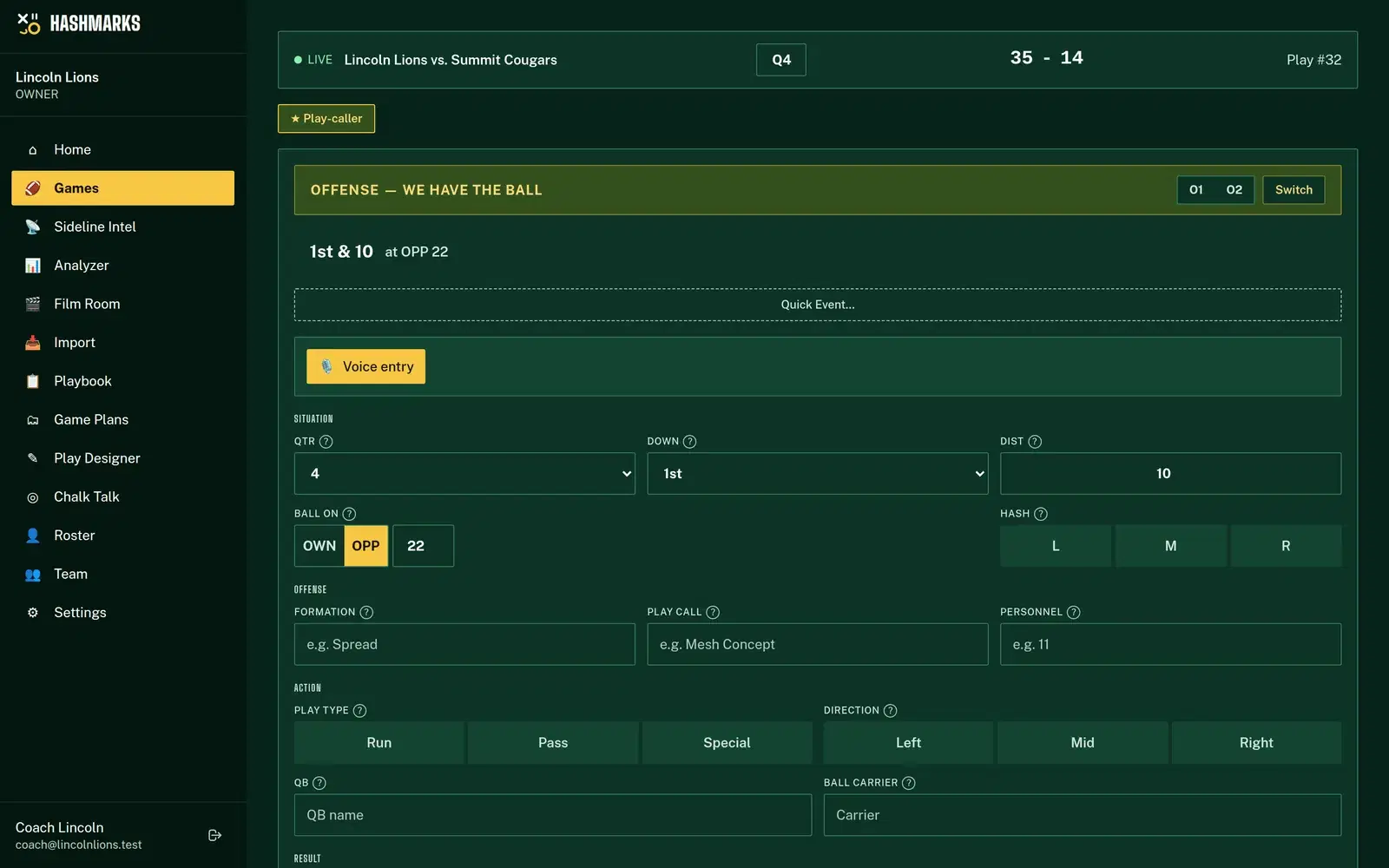
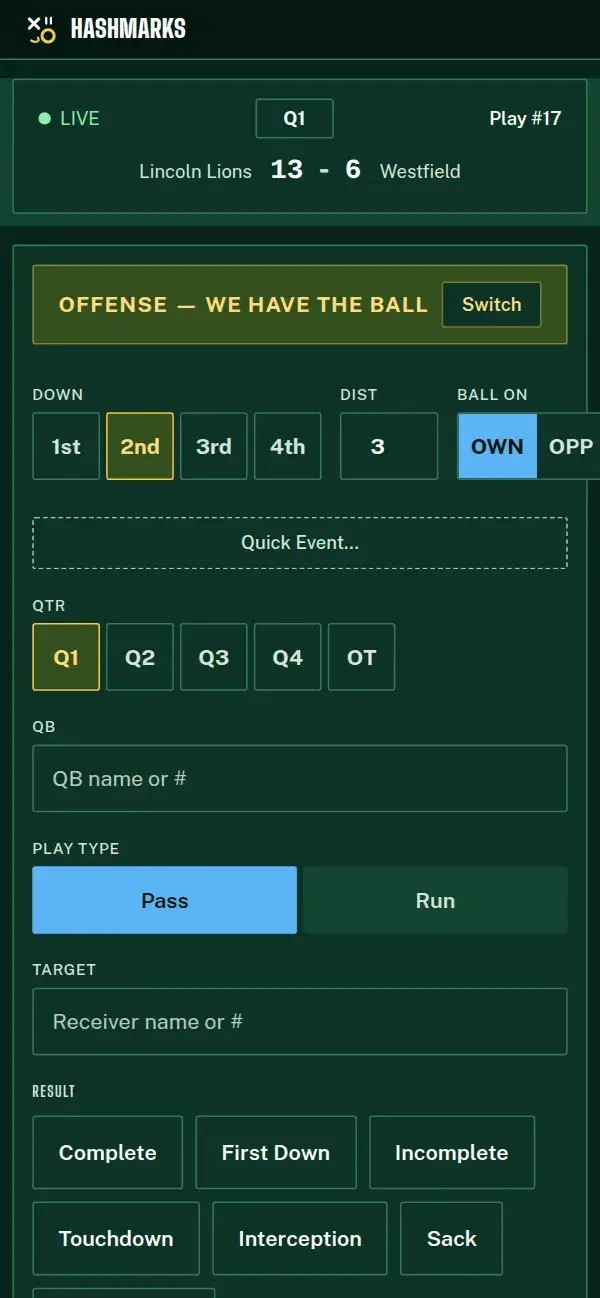
- Down, distance and ball spot. Hashmarks moves these on its own after each play. Fix the spot by hand when the officials do something unexpected.
- Formation and play type. Run, pass or special teams.
- Gain or loss, and the result. First down, touchdown, turnover.
- Ball carrier or target. Names or jersey numbers you've already used in the game are suggested as you type.
If the field has no signal, keep tapping. Plays are saved on the phone and sync in order when the connection comes back.
Turning the numbers into coaching
After the game, the same plays show up in the Analyzer and in Sideline Intel:
- Tendencies by down and distance. What you run on 1st down, and what the other team does on 3rd.
- Success rate by play call. Which plays keep you on schedule. See football advanced stats for how it's graded.
- Ball carriers and receivers. Touches, yards and long gains for each player.
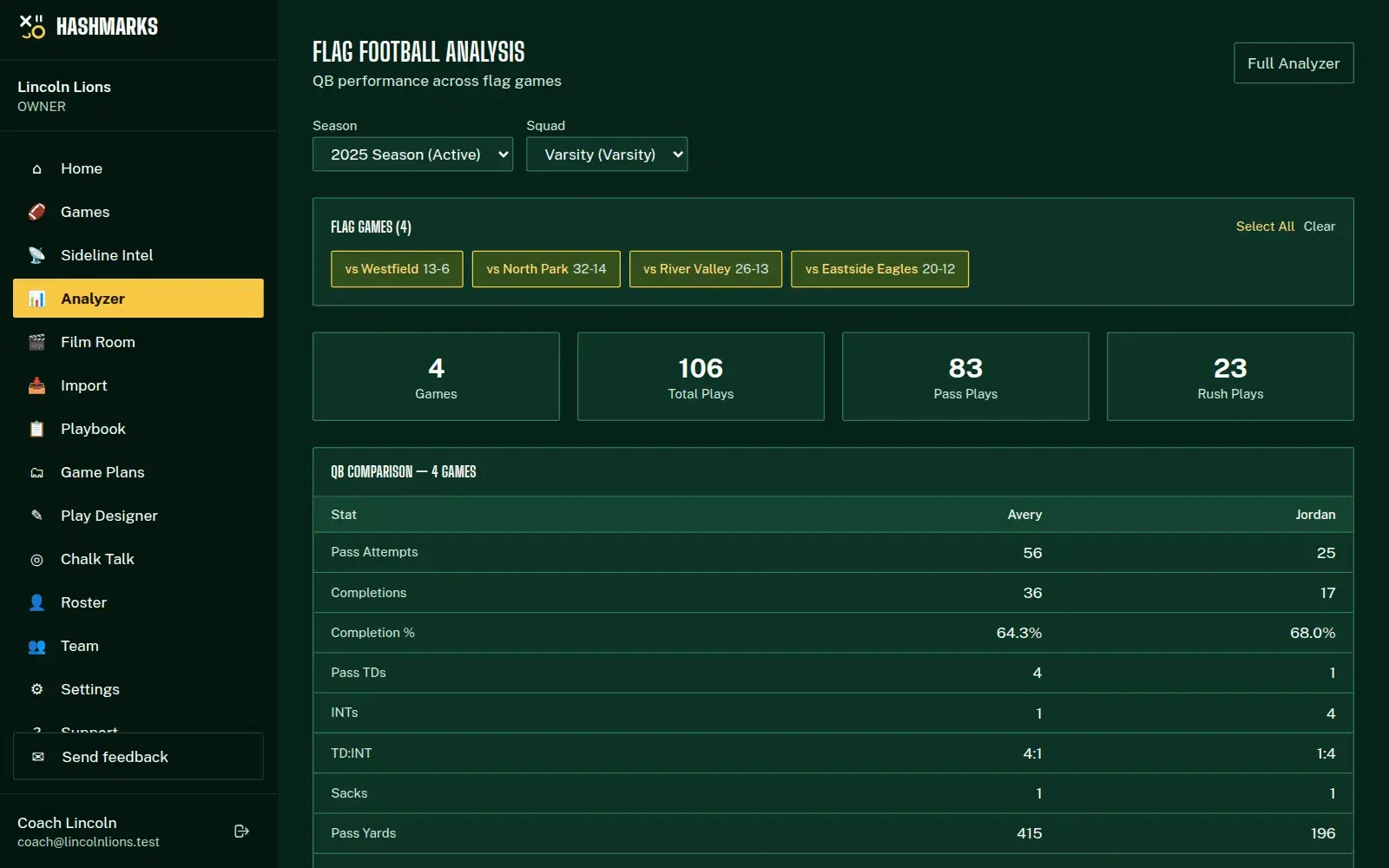
- QB comparison. If two kids are sharing quarterback, completion %, touchdowns and interceptions side by side.
Pick one thing each week. "We ran 28 Sweep eight times and it worked twice" is a practice plan.
Teach the basics, too
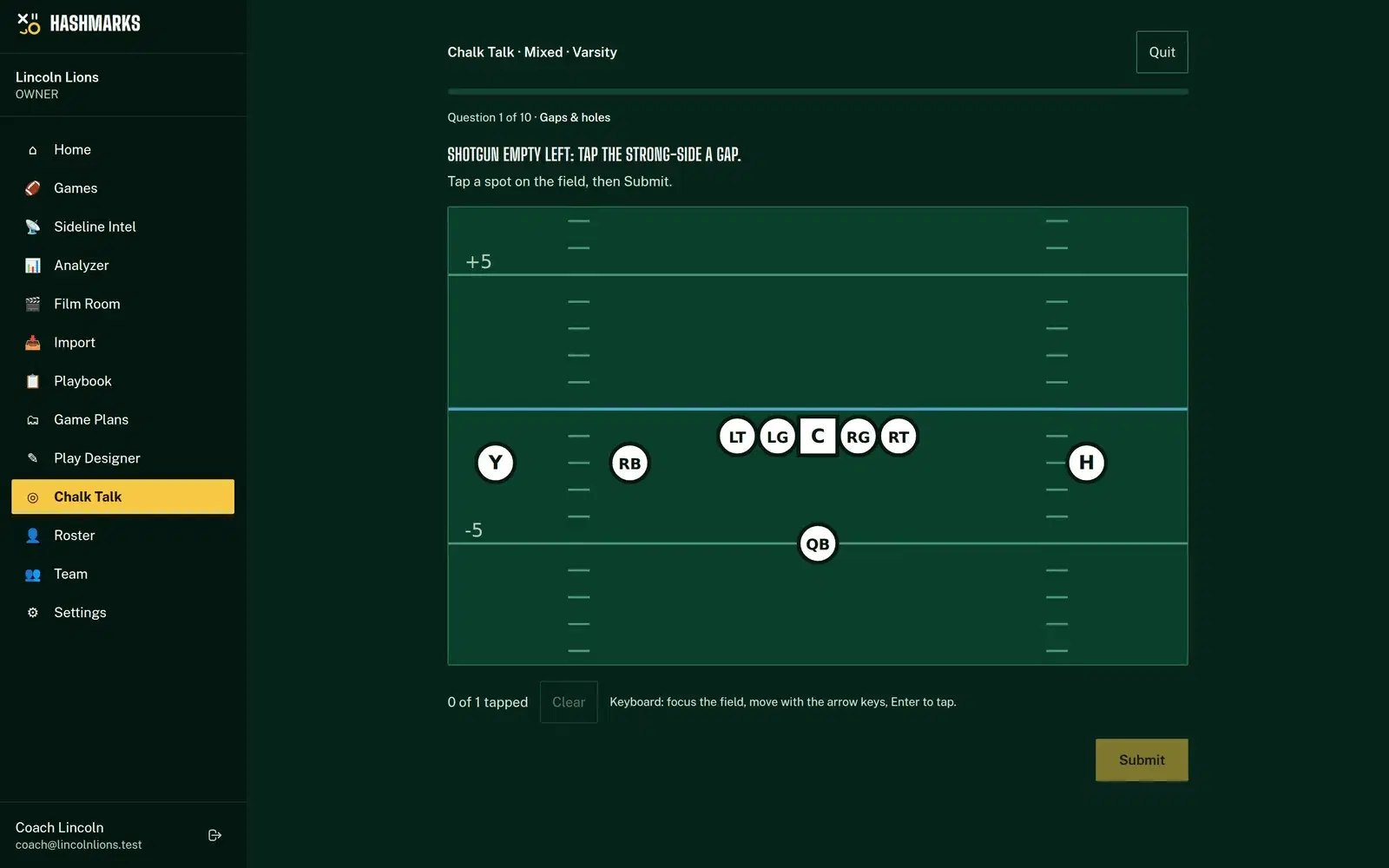
Youth coaches spend as much time teaching as calling plays. Chalk Talk's Rookie level quizzes players and new assistants on gaps, fronts and coverages on a real field, with helper labels and the names shown. The Play Designer draws your plays with the blocking and techniques labeled, and you can send players a read-only link to study them on a phone.
Running flag as well?
Many youth programs run flag for the younger divisions. Hashmarks handles tackle, flag or both in one account, and flag games get their own quick form with QB, receiver and drive stats. See flag football stats.
How to do it in Hashmarks
- Request free access and choose Pop Warner / Youth as your level.
- Add your season and roster, and invite your coaches from the Team page. Invite regular volunteers as Collectors.
- On game day, open the game and Go Live, or create a collector link and text it to a parent.
- Chart formation, play type, result and yards for each snap.
- After the game, open the Analyzer and look at one thing: your best play, your most-used play, or who got the ball.
The getting started guide walks through setup, and the Play Tracker help page covers penalties, turnovers and scoring plays.
Tips for youth stat crews
- Brief your volunteer before kickoff. Five minutes on the phone is enough.
- Chart the whole game. Sloppy fourth quarters are data too.
- Say thank you with the numbers. Share a stat with the parent who charted it. They'll come back next week.
Free for youth programs
Every feature in Hashmarks is free for every program, youth included. The only limit is uploaded game film storage. Request free access and chart your next game from a phone. See how it fits your program on the youth football page, or every feature on the Hashmarks home page.